
Improving Page Experience Without Rewriting Entire Articles
Improving page experience does not always require a full content rewrite. Many underperforming articles already contain useful information, but the layout, structure, or flow may make that value difficult to access. By making targeted improvements to readability, navigation, and technical presentation, businesses can create a smoother user experience while preserving the strongest parts of the existing content.
Start With the First Screen
The first screen of a page often determines whether visitors continue reading. If the headline is unclear, the introduction is too long, or the layout feels crowded, users may leave before reaching the most valuable information. Small adjustments near the top of the page can make a meaningful difference.
Consider reviewing:
Whether the headline clearly reflects the topic
Whether the opening paragraph confirms relevance quickly
Whether key information appears early enough
Whether the page feels easy to scan on desktop and mobile
These updates support broader initiatives tied to strategic search engine optimization services, where user experience and content relevance work together to improve performance.
Break Up Dense Sections
Long paragraphs can make helpful content feel harder to understand. This is especially true on mobile devices, where a single paragraph may fill most of the screen. Breaking dense sections into shorter paragraphs improves readability without changing the core message.
The goal is not to oversimplify the content. It is to make each idea easier to process. A paragraph should usually focus on one main point, then transition naturally into the next. This approach aligns with professional search engine optimization solutions because it helps users absorb information more easily and stay engaged longer.
Improve Headings for Better Scanning
Headings guide readers through the page. If headings are vague, overly clever, or too similar to one another, visitors may struggle to understand the structure. Updating headings is one of the simplest ways to improve page experience without rewriting the full article.
Strong headings should:
Summarize the section clearly
Reflect the questions users are likely asking
Create a logical outline when read in order
Help readers decide where to slow down
Better headings also help search systems interpret the page more clearly, especially when the content covers multiple related ideas.
Add Internal Links Where They Create Value
Internal links improve page experience by helping visitors continue their journey. If an article introduces a topic but does not provide a clear next step, users may leave even if they found the content helpful. Adding relevant internal links can guide readers toward deeper resources, service pages, or related educational content.
The most effective internal links feel natural. They appear where the reader may want more detail or a practical next step. This supports comprehensive SEO strategy and execution by connecting individual articles into a more useful content ecosystem.
Reduce Unnecessary Repetition
Some articles underperform because they repeat the same idea in several sections. This can make the page feel longer without making it more useful. Reviewing for repetition allows businesses to tighten the article while preserving its strongest insights.
A practical review might ask:
Does each section add something new?
Are similar points repeated with different wording?
Can two sections be combined for clarity?
Is the article longer than the topic requires?
Removing repetition improves pace and helps readers reach the most important information faster.
Strengthen Visual and Technical Usability
Page experience also depends on how the content loads and displays. Even well-written articles can lose visitors if the page is slow, unstable, or difficult to use on mobile devices. Technical improvements can often be made without changing the article copy.
Useful updates may include:
Compressing large images
Improving mobile spacing
Checking button and link visibility
Reducing layout shifts
Making font sizes easier to read
These details shape how visitors perceive the page and whether they feel comfortable continuing.
Use Analytics to Prioritize Updates
Not every article needs the same improvements. Analytics can help identify which pages deserve attention first. Pages with strong impressions but weak engagement may benefit from better introductions, clearer headings, or improved structure. Pages with high traffic but low conversions may need stronger internal links or clearer next steps.
By reviewing engagement time, scroll depth, exits, and click behavior, teams can make targeted changes instead of guessing. This turns page experience improvement into an ongoing process rather than a one-time project.
Make Existing Content Work Harder
Improving page experience is often about refinement, not reinvention. A page may already have the right topic, useful information, and search visibility. The opportunity is to make that content easier to read, navigate, and act on.
By adjusting introductions, headings, paragraph structure, internal links, and usability elements, businesses can improve performance without rebuilding articles from scratch. Over time, these small improvements help existing content deliver more value, support stronger engagement, and contribute more effectively to long-term digital marketing goals.

The Role of Internal Links in On-Page Optimization
Internal links are often viewed as simple navigation tools, yet they play a much larger role in how users and search systems understand your content. When implemented thoughtfully, internal links guide visitors through your site, reinforce key topics, and support a more cohesive on-page optimization strategy.
Help Users Navigate With Purpose
Visitors rarely land on a website knowing exactly where to go next. Internal links act as signposts, helping users move from general information to more specific resources. When placed naturally within content, these links provide clear next steps without interrupting the reading experience.
Effective internal linking helps users:
Explore related topics without searching again
Move from educational content to practical solutions
Discover additional resources that support decision-making
This guided navigation reduces friction and encourages deeper engagement, aligning with broader initiatives tied to strategic search engine optimization services, where user experience supports performance.
Reinforce Topical Relevance
Search systems rely on internal links to understand how different pages relate to one another. When multiple pages connect around a central topic, it signals that your site provides comprehensive coverage of that subject. This structure helps establish authority and improves the likelihood that relevant pages will appear in search results.
For example, an introductory article can link to more detailed guides, which in turn connect to service pages. This layered approach creates a network of content that reinforces key themes. It also complements efforts associated with professional search engine optimization solutions, where consistency and clarity contribute to stronger visibility.
Guide Visitors Through the Customer Journey
Internal links can be used strategically to align with different stages of the customer journey. Early-stage content introduces concepts, mid-stage content provides deeper insight, and decision-stage pages support action. Linking these stages together creates a seamless path from awareness to conversion.
A practical structure might include:
Educational content linking to detailed guides
Guides linking to service or solution pages
Service pages linking back to supporting resources
This approach ensures that visitors can move forward naturally, without needing to navigate manually. It also supports a unified experience associated with comprehensive SEO strategy and execution, where each page contributes to a larger system.
Improve Content Discoverability
Even well-written pages can go unnoticed if they are not connected to the rest of the site. Internal links help surface important content, making it easier for both users and search systems to find and prioritize key pages. Pages that receive consistent internal links are more likely to be crawled, indexed, and understood.
Strategic linking also helps distribute attention across your site. Instead of relying on a few high-traffic pages, internal links can direct visitors to additional resources, increasing overall engagement.
Balance Relevance and Placement
Effective internal linking is not about quantity but relevance. Links should feel like a natural extension of the content, providing value to the reader. Overloading a page with links can create confusion, while too few links may limit navigation opportunities.
Consider these best practices:
Use descriptive anchor text that reflects the linked content
Place links where they add context or value
Avoid forcing links into unrelated sections
Maintain consistency across similar pages
When internal links are aligned with content and intent, they enhance usability rather than distract from it.
Use Data to Refine Your Linking Strategy
Analytics can reveal how users interact with internal links, providing insight into which pathways are most effective. Tracking click behavior, navigation patterns, and conversion paths helps identify opportunities to improve linking structure.
For example:
Frequently clicked links may indicate high-interest topics
Low engagement with certain links may suggest poor placement
Navigation patterns can reveal common user journeys
Research on on-page optimization highlights that internal linking supports both usability and engagement by helping users find relevant information more efficiently.
Build a More Connected Content Experience
Internal links transform individual pages into a connected system. Instead of isolated pieces of content, your site becomes a structured network that supports exploration, learning, and decision-making.
By guiding users, reinforcing topics, and improving discoverability, internal links contribute to a more effective on-page optimization strategy. Over time, this connectivity helps build authority, improve engagement, and support meaningful outcomes across your entire digital presence.

Structuring Pages for Mobile Scanning Without Losing Depth
Mobile devices now account for a large share of website traffic, especially for service-based searches. Visitors often arrive with a specific question and limited time, scanning quickly to determine whether a page is worth their attention. Structuring pages for mobile scanning ensures that users can find answers efficiently without sacrificing the depth needed to support informed decisions.
Design for Scanning First, Reading Second
Mobile users typically skim before they commit to reading in detail. Small screens make dense text feel overwhelming, so clear structure becomes essential. Headings, spacing, and visual hierarchy should guide readers through the page, helping them identify key sections at a glance.
Effective mobile-friendly structure includes:
Headings that clearly describe each section
Short paragraphs focused on one idea
Adequate spacing between sections
Logical progression from one topic to the next
These elements reduce friction and help users move through content quickly. Pages that support scanning tend to perform better in initiatives tied to strategic search engine optimization services, where engagement signals influence visibility.
Surface Key Information Early
On mobile devices, users often decide within seconds whether to continue scrolling. Placing essential information near the top of the page helps confirm relevance and encourages deeper exploration. This includes clear introductions, concise summaries, and immediate answers to common questions.
If important details are buried too far down, users may leave before discovering them. Structuring content so that the most valuable insights appear early improves both usability and retention. This approach aligns with principles associated with professional search engine optimization solutions, where clarity supports both user experience and performance.
Break Down Complex Topics Into Sections
Depth is still important, particularly for topics that require explanation or comparison. The challenge is presenting detailed information in a way that feels manageable on a smaller screen. Dividing content into clearly labeled sections allows users to navigate directly to what matters most to them.
A well-structured page might include:
An overview that introduces the topic
Sections that address specific questions or concerns
Supporting details organized into digestible segments
Transitions that connect ideas smoothly
This format allows readers to engage at their own pace, whether they are scanning for quick answers or exploring the topic in depth. Research on user experience highlights that structured content improves comprehension and encourages longer engagement, even on mobile devices.
Maintain Depth Without Adding Friction
Providing depth does not require long, uninterrupted blocks of text. Instead, depth can be achieved through clarity and organization. Each section should add meaningful information without repeating earlier points. Supporting details, examples, and explanations should be integrated naturally into the structure.
Balancing depth and readability ensures that content remains accessible while still delivering value. This balance is central to comprehensive SEO strategy and execution, where user satisfaction depends on both clarity and completeness.
Use Internal Links to Support Exploration
Mobile users often prefer to explore content in stages rather than consume everything at once. Internal links provide a way to extend depth without overwhelming a single page. By guiding users to related resources, businesses can offer additional detail while keeping individual pages focused and easy to navigate.
For example, a high-level overview can link to more detailed guides or service pages, allowing users to choose how deeply they want to engage. This layered approach supports both scanning behavior and in-depth learning.
Continuously Refine Based on Behavior
Analytics can reveal how users interact with mobile pages, highlighting where they engage and where they drop off. High exit rates near the top of a page may indicate that key information is not immediately visible, while low engagement in deeper sections may suggest that content is too dense or difficult to navigate.
Regularly reviewing these patterns helps identify opportunities to improve structure. Small changes, such as adjusting headings or repositioning key details, can significantly enhance the mobile experience.
Build Pages That Work at Any Depth
Structuring pages for mobile scanning is not about simplifying content. It is about presenting information in a way that respects how users interact with smaller screens. When structure supports both quick scanning and deeper exploration, visitors can engage with content on their own terms.
In a digital environment where attention is limited and expectations are high, this balance is essential. Pages that combine clarity with depth create a more effective experience, helping users find answers quickly while still providing the detail needed to support confident decisions.

On-Page Optimization Techniques That Improve First Impressions
When visitors arrive on a webpage, their initial experience shapes everything that follows. Within seconds, they determine whether the content feels relevant, trustworthy, and easy to use. On-page optimization focuses on creating that positive first impression by aligning structure, messaging, and usability with real visitor needs rather than technical checklists alone.
Confirm Relevance Immediately
Most visits begin with a specific question or problem. The page title, opening lines, and visible headings should confirm that visitors are in the right place. When the introduction reflects the language and intent of the search query, readers feel understood and are more likely to continue.
If relevance is unclear, users often leave before exploring further, even if valuable information appears later. Aligning headlines and introductory content with user expectations supports stronger outcomes for initiatives tied to strategic search engine optimization services, where clarity helps translate visibility into engagement.
Make Key Information Easy to Find
Visitors typically scan before committing to a full read. Clear headings, concise paragraphs, and logical section breaks help users navigate quickly to the information they need. This approach respects modern reading habits, particularly on mobile devices where space is limited.
Effective scanning support includes:
Descriptive subheadings that summarize each section
Short paragraphs focused on a single idea
Strategic placement of the most important details near the top
Visual spacing that separates concepts clearly
These elements reduce cognitive effort and encourage deeper interaction. Research on user experience consistently shows that well-structured pages retain attention longer because readers can control how they consume information.
Establish Credibility Through Presentation
Professional design and consistent formatting signal reliability before a single claim is evaluated. Clean typography, readable line length, and stable layout contribute to a sense of quality that influences perception of the content itself.
Supporting details such as examples, data points, or references further reinforce credibility. When visitors feel confident in the information presented, they are more willing to invest time and consider next steps. This trust-building effect complements broader initiatives built around professional search engine optimization solutions, where authority and usability reinforce each other.
Reduce Friction Across Devices
Technical aspects of page experience play a quiet but important role in first impressions. Slow loading times, unstable elements, or layouts that shift while scrolling can create frustration that overshadows otherwise helpful content. Mobile responsiveness is particularly critical, as many local and service-related searches occur on smartphones.
Key performance factors include:
Fast loading speed
Stable layout with minimal unexpected movement
Touch-friendly navigation
Clear contrast and readable text size
Addressing these issues ensures that usability supports, rather than undermines, your messaging.
Guide Visitors Toward the Next Step
A strong first impression should lead naturally into a deeper interaction. Internal links, calls to action, and related resources help visitors move from general information to more specific solutions. Without clear pathways, users may leave simply because they do not know what to do next.
Thoughtful navigation reinforces a cohesive journey across the site. Educational pages can introduce concepts, while linked materials provide details on implementation or services. This coordinated approach aligns with comprehensive SEO strategy and execution, where each page contributes to a larger system rather than functioning in isolation.
Maintain and Refine Over Time
On-page optimization is not a one-time task. Visitor expectations evolve, and analytics may reveal sections where users disengage. Periodic reviews of high-traffic pages help identify opportunities to improve clarity, update examples, or reorganize content to better match current needs.
Small adjustments can produce meaningful gains. Moving key information higher on the page, simplifying language, or improving headings often increases engagement without major redesign efforts.
First Impressions Shape Long-Term Outcomes
A well-optimized page reassures visitors that their time will be rewarded. By confirming relevance, presenting information clearly, and reducing friction, organizations create an experience that encourages exploration rather than abandonment.
In competitive digital environments, attracting traffic is only half the challenge. Converting that attention into meaningful interaction requires pages that communicate value immediately and guide users forward with confidence. On-page optimization ensures that the moment someone arrives, the path toward understanding and action is already clear.
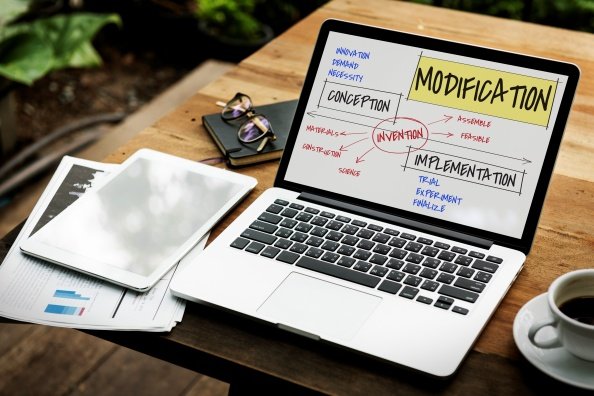
On-Page Content Optimization: Turning Existing Pages Into Consistent Performers
On-page content optimization is about getting more value from the pages you already have. Instead of publishing endless new articles, you refine titles, structure, and copy so each page does a better job of matching search intent and moving visitors toward the next step. Treated this way, on-page work becomes a core part of your wider search engine optimization strategy, not a one-time clean-up.
What On-Page Content Optimization Really Covers
On-page optimization goes far beyond sprinkling in a few extra keywords. It includes everything on the page that helps search engines understand your topic and helps visitors find what they came for: headings, internal links, content depth, media, and the way you answer related questions.
Guides to on-page SEO stress that you are optimizing for two audiences at once: people and search engines. That means publishing helpful, high quality content, while also making sure your titles, meta tags, and headings clearly signal relevance. A complete guide to on-page SEO from Search Engine Journal makes this point strongly, emphasizing that on-page optimization is an ongoing process, not a set-and-forget task.
Choosing Which Pages To Optimize First
You do not need to optimize every page at once. A better approach is to prioritize pages where improvements are most likely to change outcomes. Common high-value candidates include:
Service or solution pages that already get impressions but have weak click-through rates
Evergreen blog posts that drive steady traffic but few conversions
Location or “about” pages that support trust and local visibility
Start by looking at search data and analytics together. Pages that rank on page one or two but attract fewer clicks than you would expect often need stronger titles and introductions. Pages with healthy traffic but low engagement or conversions may need clearer structure, more specific calls to action, or better alignment with the query.
What Strong On-Page Optimization Looks Like
Practical examples can make on-page content optimization easier to visualize. WSI’s practical guide for result-oriented on-page SEO implementations walks through how to align headings, copy, and internal links so that each important page supports both users and search visibility.
In general, well-optimized pages tend to share a few traits:
A clear primary topic, reflected in the title, main heading, and early paragraphs
Logical sections that mirror real questions people ask about the topic
Concise paragraphs and lists that are easy to scan on mobile
Internal links that guide readers toward deeper or more specific resources
Your broader SEO services work should support this structure, not compete with it, by ensuring technical, off-page, and content strategies all point toward the same priority pages.
How On-Page Work Supports Your SEO Strategy
On-page content optimization is one of the few levers you fully control. You cannot force other sites to link to you, but you can make sure your most important pages:
Clearly show what your business does and who it serves
Answer the follow-up questions people typically ask
Provide enough depth that visitors do not have to bounce back to the results to finish their research
Resources from WSI emphasize that on-page, technical, and off-page SEO all work together. Well-optimized pages make it easier for search engines to understand why your site deserves visibility for key topics, and they make every backlink, mention, and campaign more effective.
What To Do Next
Audit your top traffic and conversion pages. Identify which URLs already play a major role in your search engine optimization efforts and review their titles, headings, and intros for clarity and intent match.
Compare your content to current on-page best practices. Use trusted resources such as the complete guide to on-page SEO to spot missing elements, from internal links to supporting sections.
Borrow patterns from proven examples. Look at how guides like the result-oriented on-page SEO implementations, article structure headings and copy, then adapt similar patterns to your own highest value pages.
Over time, a deliberate approach to on-page content optimization turns your existing pages into reliable, compounding assets instead of leaving their performance up to chance.
Disclaimer: This article is for informational purposes only and does not constitute professional legal, financial, or tax advice.

On-Page Content Optimization for Better User Experience
On-page content optimization for better user experience connects how pages read with how they perform. When headings, copy, and layout are structured around real visitor needs, people find answers faster and stay longer, which supports broader search goals and initiatives such as strategic search engine optimization services.
Why User Experience Belongs at the Heart of On-Page Optimization
Most visits begin with a question, not a keyword list. If the title, opening lines, and first screen confirm that a page understands the problem, people are more likely to keep reading instead of bouncing back to search results. That early reassurance is a core part of user experience and a practical outcome of thoughtful on-page optimization.
Guidance from Google on creating helpful, reliable, people-first content explains that pages should be written for readers first and ranking systems second, with clear answers and useful details that match real intent. When content structure and readability reflect that mindset, engagement metrics improve and search systems gain stronger signals that a page is satisfying visitors.
Make Content Easy to Scan and Understand
On most screens, people skim before they commit. On-page content optimization for better user experience respects that habit. Each section should focus on one main idea, expressed in a descriptive heading that sets expectations for what follows. Short paragraphs and clear topic sentences help readers decide where to slow down.
Readability research in user experience design shows that clear language and simple visual hierarchy make it easier for people to absorb information. For a digital marketing team, that means treating headings, line length, and spacing as deliberate choices. Small changes in text presentation often lead to better engagement.
A few habits help teams move in the right direction:
Use headings that answer a question or summarize the main point of each section.
Limit paragraphs to one primary idea to keep scanning effortless.
Place the most important answers and examples near the top of the page.
Connect Content, Navigation, and Measurement
On-page work for a better user experience extends beyond individual paragraphs. Internal links help visitors move from broad explanations to focused resources without getting lost. Thoughtful navigation and inline links act as signposts that show people where to go next while reinforcing core topics promoted through search engine optimization.
Technical aspects of user experience also play a quiet but important role. Fast loading pages, stable layouts, and mobile-friendly design reduce friction as people scroll and tap. Google page experience guidance notes that performance and responsiveness shape how visitors perceive a site and that strong page experience supports better outcomes in search.
Measurement ties everything together. Watching how visitors interact with content, where they slow down, and when they leave, can highlight sections that need clearer language or better structure. Insights from analytics-focused content, such as discussions of tracking and reporting on off-page SEO and AI search, can help teams translate engagement data into practical changes on individual pages.
To keep improvements sustainable, many organizations adopt a review rhythm. Each quarter, they select a few high-value pages, review engagement metrics, and refresh structure and wording where needed. Over time, adjustments to on-page content optimization compound so pages become easier to read, better aligned with real intent, and more likely to earn attention in evolving search results.
Disclaimer: This content is for informational purposes only and does not constitute legal, financial, or professional advice.